Power bank capacity for multi-day Gandikota canyon stays
Gandikota canyon campsites are not designed around electrical access. Standard tent setups near the gorge generally operate off-grid, with limited to no public charging points and no dependable socket beside the sleeping area.
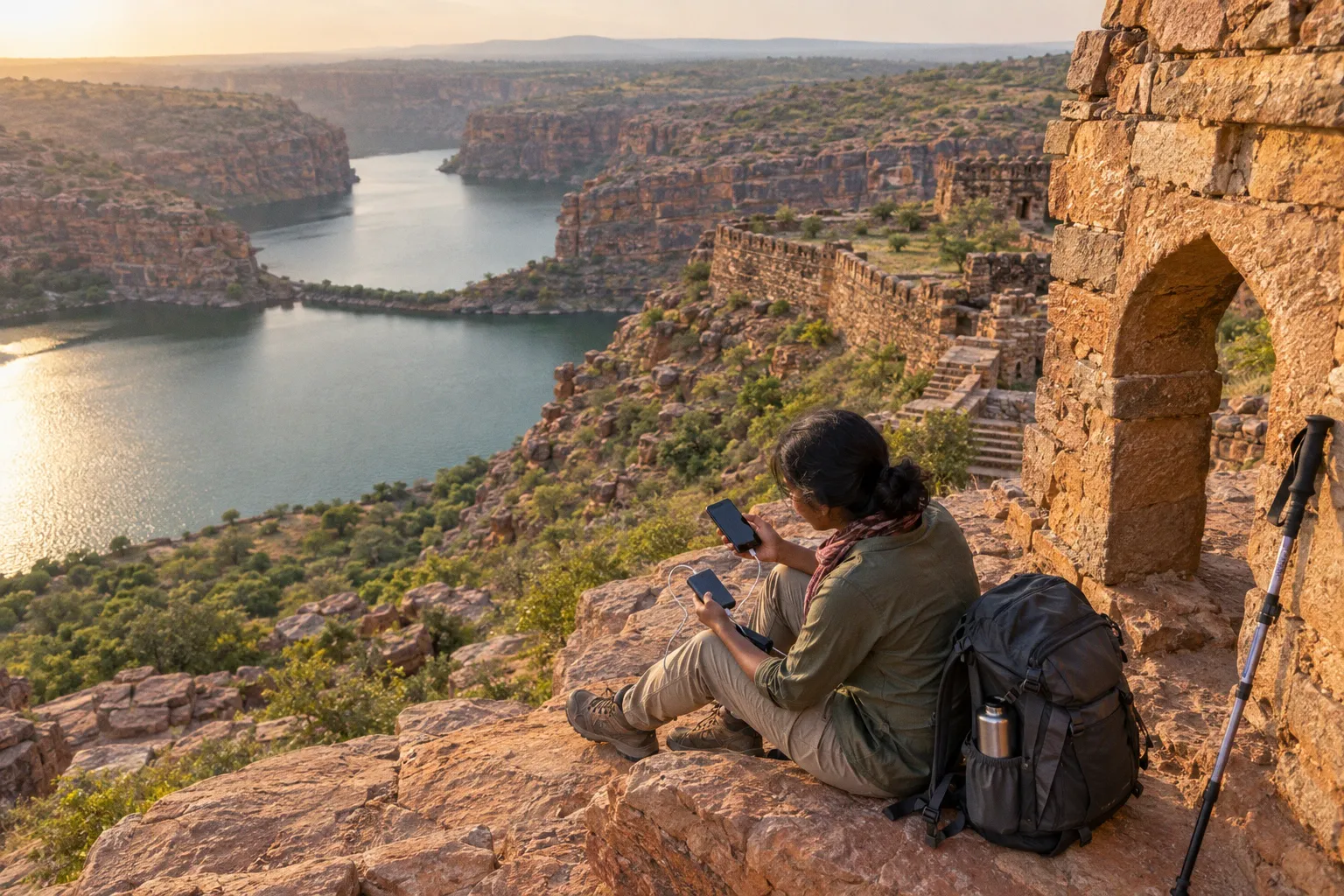
If your phone is carrying your navigation, booking details, transport contacts, camera, and emergency communication, its battery becomes field equipment rather than a convenience.
For most one- to three-night Gandikota camping trips, carry a power bank rated between 10,000 mAh and 20,000 mAh. The correct capacity depends on how often you use the phone, whether you carry additional devices, and how aggressively the handset searches for a weak mobile signal. A 10,000 mAh unit is adequate for light use. A 20,000 mAh unit gives better reserve for navigation, photography, poor reception, and delayed transport.
At Gandikota’s canyon campsites, a power bank is not an accessory. It is the replacement for a missing wall socket.
The reality of off-grid power at Gandikota canyon rims
Basic canyon camping packages typically provide a tent, sleeping bags, dinner, breakfast, and a campfire. Adventure packages may add activities such as rappelling. These arrangements are built for overnight outdoor use, not for charging multiple personal electronics.
The campsite package price does not imply electrical infrastructure. Standard tent accommodation should be treated as a sleeping platform with basic services. Do not plan on an individual charging socket inside the tent. Do not assume that a camp manager can recharge every guest’s device from a generator. Even when some temporary electricity is available in a wider campsite area, access may be limited, shared, or unavailable at the time you need it.
The distinction matters because phone battery consumption in remote terrain is different from consumption in a town. In Gandikota, the handset may spend long periods searching for a usable network. That background activity can drain the battery even when the screen is off. Add photographs, route checks, ride coordination, torch use, and video recording, and a full charge can disappear before the trip is complete.
The practical charging hierarchy is simple:
1. Charge every device fully before leaving the last reliable power point.
2. Carry a dedicated power bank rather than relying on a vehicle USB port.
3. Keep the cable and power bank in the same accessible pouch.
4. Use the phone’s power-saving controls before the battery reaches low power.
5. Preserve a separate reserve for navigation and emergency calls.
This is not excessive preparation. Gandikota has a fort, a broad canyon edge, open terrain, and accommodation options spread across a relatively rural area. A phone that reaches zero percent can remove access to digital tickets, driver numbers, maps, hotel contact details, and stored travel information at the same time.
Choosing between 10,000 mAh and 20,000 mAh
The printed capacity is the first specification, not the entire performance profile. Power banks lose some energy during voltage conversion, cable transmission, and charging. The usable output will therefore be lower than the number printed on the casing. You do not need to calculate laboratory-grade efficiency for a short trip, but you do need to avoid planning around the full nominal figure.
A 10,000 mAh power bank is the compact option. It is easier to carry during a fort walk, sightseeing circuit, or short approach to the canyon edge. It suits a traveller carrying one phone, using it lightly, and staying one night. It is also useful as a backup even if you expect access to fixed electricity at your accommodation.
A 20,000 mAh power bank is the safer general choice for two or three nights, heavy photography, weak-signal conditions, or multiple small devices. It is heavier and occupies more space, but the additional reserve reduces the need to ration essential phone use. It becomes especially practical when a second traveller, camera accessory, wireless earbuds, headlamp, or GPS unit also needs power.
| Trip profile | Recommended capacity | Expected use pattern | Main limitation |
|---|---|---|---|
| One night, one phone | 10,000 mAh | Maps, messages, occasional photos, light screen use | Limited reserve if reception is poor |
| One to two nights, active phone use | 10,000–20,000 mAh | Navigation, photography, transport coordination, regular charging | Requires disciplined power management |
| Two to three nights, remote campsite | 20,000 mAh | Repeated phone charging and reserve for network drain | Larger and heavier to carry |
| Two travellers sharing one unit | 20,000 mAh | Charging two phones and small accessories | Cable access must be managed |
| Phone plus camera or headlamp | 20,000 mAh | Mixed-device charging with emergency reserve | Check connector compatibility before departure |
These are field planning categories, not a guarantee of a fixed number of phone charges. Battery size varies by device. A large phone with a high-capacity battery consumes more stored energy than a compact handset. Age, heat, screen brightness, background applications, and network conditions also change the result.
For the Gandikota power bank requirements for canyon camping, the decision is therefore based on reserve rather than maximum theoretical charging count. If the trip is short and your phone use is controlled, 10,000 mAh is serviceable. If losing power would affect your route, transport, or emergency communication, move to 20,000 mAh.
Capacity is not the only specification
A high-capacity unit with a damaged cable is useless. Before packing, inspect the following:
- Output ports: Confirm that the bank supports the connector used by your phone and other devices.
- Cable condition: Pack a short, tested cable. A frayed cable is a failure point, not a minor inconvenience.
- Physical protection: The casing should tolerate dust, abrasion, and movement inside a daypack.
- Battery indicator: A visible charge indicator helps you monitor remaining reserve.
- Weight: A 20,000 mAh unit is practical for camp use but becomes noticeable during long walks.
- Storage condition: Keep it dry and protected from direct heat inside the pack.
- Pre-trip test: Charge the power bank fully and use it to recharge the intended device before departure.
Avoid selecting a unit solely because it has the largest number printed on the label. A compact 10,000 mAh bank that is charged and protected is more useful than a 20,000 mAh unit left at home because it is too heavy or stored without its cable.
Calculate the actual energy requirement before departure
Start with the devices you will carry. Do not include equipment that stays in the vehicle or accommodation unless you may need it while walking.
A basic Gandikota electronics load may include:
- Smartphone used for maps, calls, messages, and photographs.
- Headlamp or compact torch with a rechargeable battery.
- Wireless earbuds or a small camera accessory.
- Second phone belonging to a travel companion.
- Action camera or dedicated camera battery, if applicable.
The phone remains the priority. A headlamp is useful after dark, but it should not consume the reserve required for navigation and communication. If you carry a separate camera, bring spare camera batteries where possible instead of using the power bank as the only charging plan. This reduces the number of conversion steps and keeps the power bank available for the phone.
Use a simple three-stage assessment:
1. Define the stay length
For a one-night stay, the phone should normally begin at full charge and the power bank should remain a reserve. For two or three nights, plan for repeated charging. Do not treat the checkout time as the end of the power requirement. A delayed vehicle, additional sightseeing, or a late departure can extend the period away from a socket.
2. Rate your phone use
Classify your expected use as light, moderate, or heavy.
Light use means occasional calls, a few messages, limited photographs, and offline maps. Keep the screen off when not needed.
Moderate use includes regular photographs, route checks, messaging, transport coordination, and some video. This is common for a Gandikota sightseeing trip.
Heavy use includes continuous camera use, video recording, high screen brightness, mobile data in weak coverage, live location sharing, and frequent social media uploads. This use pattern can exhaust the phone rapidly regardless of the nominal battery size.
3. Add a reserve for network drain
Remote-area signal searching is a hidden load. When coverage is weak, a handset may repeatedly search for a network and maintain a connection at higher power demand. You may not notice this until the battery percentage falls faster than expected.
For this reason, the same phone can require different power planning in a city and at a canyon campsite. If reception is unreliable, activate Flight Mode when you do not need calls or data. Re-enable the network at planned intervals to check messages or coordinate transport. Use Power Saving Mode throughout the day unless a specific application requires normal performance.
A useful operating rule is to protect the final portion of the phone battery. Do not wait until the device reaches one or two percent. Start a recharge while you still have enough power to make an emergency call, display a map, or communicate with a driver.
Battery life optimization in weak-network terrain
Battery conservation begins before the phone reaches Gandikota. Download the information you can use offline:
- Accommodation confirmation.
- Driver and operator contact details.
- Route notes.
- Offline map areas.
- Transport booking information.
- Emergency contacts.
- A simple written itinerary.
Do not assume that mobile data will perform consistently at the canyon edge or around the campsite. Offline information reduces both data use and the time the phone spends searching for a functional connection.
Recommended phone settings
Use the following settings as a baseline:
1. Enable Power Saving Mode. This reduces background activity and limits non-essential functions.
2. Use Flight Mode when network access is not required. This is particularly useful overnight or during long periods at the campsite.
3. Reduce screen brightness. The display is one of the most predictable sources of battery drain.
4. Shorten the screen timeout. A screen left active inside a pocket or bag wastes stored energy.
5. Disable automatic updates and cloud backups. Schedule them for a reliable Wi-Fi or mains-power location.
6. Restrict background activity. Social media, photo backup, and messaging applications can continue using power without visible activity.
7. Turn off Bluetooth and location services when unnecessary. Re-enable them for navigation or a specific accessory.
8. Use downloaded maps instead of constant live map loading.
9. Avoid unnecessary video playback and uploads.
10. Keep the phone out of direct heat. High temperatures reduce practical battery performance and can slow or interrupt charging.
Do not disable every function indiscriminately. If the phone is your navigation and emergency device, location services should be available when you are actively moving. The objective is controlled use, not a dead-simple device that cannot perform the job you need.
Charging technique at camp
Charge deliberately. Connect the phone to the power bank during a period when you are not using it, such as while resting at the tent. Keep the bank and phone together so that the cable is not pulled or crushed inside the pack.
Do not repeatedly connect and disconnect the phone for small battery increases unless you have a reason. Each charging session creates an opportunity to misplace the cable, expose the equipment to dust, or drain the power bank without a clear operating plan.
If two travellers share one 20,000 mAh unit, establish priority before the battery becomes low:
1. Phone required for transport or emergency contact.
2. Phone used for navigation.
3. Headlamp or other safety device.
4. Camera and entertainment devices.
This order prevents a common failure: using the reserve for photographs early in the evening and discovering that no power remains for the morning route or return journey.
Battery management at a remote campsite is a sequence of decisions. Spend power on communication, navigation, and safety first. Everything else is optional.
Portable solar chargers in Gandikota conditions
Portable solar chargers appear attractive in an open, hot landscape. They are not a direct replacement for a charged power bank. A small panel depends on panel area, orientation, cloud cover, dust, shading, cable losses, and the power-management electronics inside the unit. A solar panel attached to a backpack may produce some charge, but production is not constant and may not match the phone’s demand.
Do not plan a one- or two-night Gandikota trip around a small integrated solar power bank. The combined panel and battery may be convenient for emergency top-ups, but it should not be treated as a rapid charging system. Solar power banks do not charge quickly merely because the air is hot or the sunlight is strong.
A dedicated folding solar panel is a different category of equipment. It provides more usable panel area and can be positioned toward the sun, but it adds bulk and requires active management. You must unfold it, orient it, protect the phone from heat, secure the panel against wind, and monitor the connection. Dust on the panel reduces output. Shade from a tent, vehicle, or person can also change performance.
When solar equipment makes sense
Solar equipment becomes more reasonable when:
- You are extending the trip beyond a normal one- to three-night stay.
- You carry multiple devices and have no practical access to fixed electricity.
- You understand that solar is a supplementary source, not an immediate solution.
- You carry a charged power bank as the primary reserve.
- You can expose the panel for sustained periods without leaving it unsecured.
For a short canyon visit, a fully charged 20,000 mAh power bank is simpler and more predictable than a small solar charger. A solar panel may supplement the bank, but it should not replace the initial charge.
Use the panel to replenish a power bank where possible, rather than charging a phone directly. The power bank acts as a buffer during changing sunlight and prevents the phone from being tethered to a panel during navigation or camp movement.
Charging electronics at Gandikota campsites
The campsite and resort systems serve different needs. Tent packages near the canyon generally provide basic off-grid accommodation. The APTDC Haritha Resort in Gandikota village is one of the few accommodation options with fixed electrical amenities and charging access. That makes it a useful base for travellers who require predictable indoor power, but it does not eliminate the need for a backup battery during walks, sightseeing, or time spent at the canyon campsites.
Treat resort electricity as an accommodation resource, not a universal field-charging solution. Availability, access, and operating conditions can vary. Exact current electricity schedules during peak summer periods are not assumed here. Confirm the arrangement with the property before relying on it for medical equipment, camera batteries, or a tightly timed departure.
If your itinerary combines the resort with tent camping, charge the power bank whenever fixed electricity is available. Do not wait until the phone and power bank are both low. The point of using the resort is to restore your reserve before moving back into the off-grid part of the trip.
Practical charging plan
A functional sequence looks like this:
1. At home or before departure: Charge the phone, power bank, camera batteries, headlamp, and any rechargeable accessories.
2. During transport: Keep the power bank accessible, but do not assume a vehicle USB port will recharge it fully.
3. At Haritha Resort or another confirmed electrical point: Restore every battery before going to the campsite or canyon edge.
4. At the campsite: Use the power bank only for devices that require field power.
5. Before a walk or sightseeing transfer: Confirm phone charge, power bank reserve, cable, and offline map access.
6. Before sleeping: Activate Flight Mode or Power Saving Mode according to the next day’s communication requirements.
7. Before departure: Keep enough charge for transport coordination after leaving the campsite.
Store the power bank inside a dry inner pouch. The canyon environment is dusty, and outdoor movement exposes connectors to grit. Keep port covers closed when the unit is not connected. Do not leave the power bank on a hot surface or in direct sun. A pack compartment is preferable to the dashboard or tent roof.
A field packing standard for canyon electronics
The following load is adequate for most independent visitors staying one to three nights:
- One 10,000–20,000 mAh power bank.
- One short charging cable compatible with the primary phone.
- One backup cable if the trip depends heavily on the phone.
- Fully charged phone.
- Offline maps and stored accommodation information.
- Compact headlamp or torch.
- Spare camera batteries if carrying a dedicated camera.
- Small waterproof or dust-resistant pouch.
- Written copy of essential phone numbers and booking details.
For two travellers, a single 20,000 mAh power bank can work if both phones begin fully charged and usage remains controlled. Two smaller power banks provide better redundancy. Redundancy has value when one cable fails, one bank is misplaced, or one person leaves the campsite with the only charged device.
Avoid packing power-hungry extras without a reason. Portable speakers, heated accessories, unnecessary lighting, and continuous video playback increase the electrical load while contributing little to route safety. The canyon is not the place to discover that your entertainment equipment has consumed the reserve required for navigation.
Final operating rule
For standard Gandikota canyon camping, carry 10,000 mAh for light one-night use and 20,000 mAh for two- to three-night stays, heavy phone use, weak-network conditions, or shared charging. Start with every device fully charged. Keep the power bank dry and shaded. Download maps and travel details before entering the low-connectivity zone. Use Flight Mode and Power Saving Mode when the phone is not actively needed.
Do not depend on a tent campsite having a socket. Do not treat a small solar charger as a fast replacement for stored energy. Do not spend the reserve on low-priority devices before securing communication and navigation.
Before leaving for the canyon, run the final check:
- Phone at full charge.
- Power bank at full charge.
- Cable tested.
- Offline maps available.
- Accommodation and driver details stored.
- Flight Mode and Power Saving Mode understood.
- Headlamp charged.
- Power bank protected from heat, dust, and moisture.
- Reserve retained for the return journey.
Gandikota’s fixed-power options can support a planned itinerary, particularly at the APTDC Haritha Resort. The campsite itself should still be treated as off-grid. Pack for that condition and the battery problem remains controlled. Ignore it and a basic phone failure can become a transport, navigation, and safety problem at the same time.